


Live is not live: Apple restricts Live Activities in iOS 18
The second cycle, which was possible until iOS 17, has to go: A developer explains this with memory access and the new Watch function.
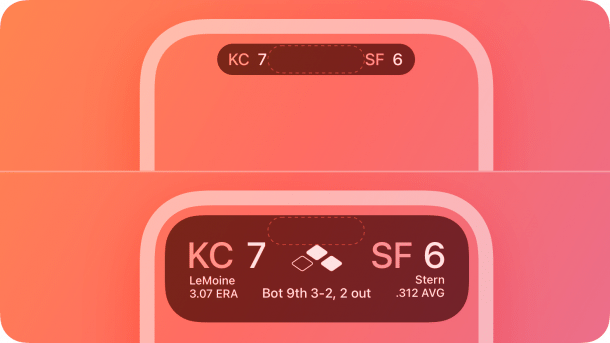
The Live Activities, which can be displayed on the lock screen and in the iPhone's Dynamic Island, are updated at longer intervals than before from iOS 18.
(Image: Apple)
Until now, the Live Activities displayed in the lock screen and Dynamic Island on the iPhone have been updated every second. With iOS 18, which is expected to be released in September, the intervals of the function once presented as a real-time display will be longer. This could have a negative impact on some apps, as one developer has now made public.
The developer named Nico posted on X that he was still able to update the Live Activity of his app every second in iOS 17. Since beta 7 of iOS 18, the time has increased to 5 to 15 seconds. The developer initially thought it was a bug because Apple also noted the Live Activities in the beta release notes with regard to battery consumption. Live Activities were introduced by Apple with iOS 16.1.
"A gap in the API"
However, an inquiry to developer support provided further information about the change. They said that the updates every second would also increase the wear and tear on the NAND memory, as the updates would have to be written there each time. With iOS 18 and watchOS 11, the Live Activities are also displayed on the Apple Watch, making an additional synchronization step necessary.
Videos by heise
According to the screenshot of the answer posted by Nico, Apple presents it as if Live Activities were never intended to enable real-time experiences. The fact that this was possible was a "gap in the API" that is now being closed.

Which apps suffer and which don't
But it's not quite that simple: Apple itself has so far explained on its developer pages that the function enables "a fitness app" that displays real-time data. This is precisely what developer Nico did with his app, which transferred the speed of a bike's speedometer to the iPhone in real time and to the Live Activity display. "But it doesn't do me any good to know the speed from 10 seconds ago," he writes.
In other use cases that look like real-time displays, however, the change has no effect –, namely when the display can be calculated in advance. This applies to timer countdowns, for example. Here, the timer runs within the live activity. If changes need to be made during the activity, the longer intervals are just as sufficient to take these into account. The change will also be partially noticeable in the popular displays for sports results, which some apps offer in Live Activities, but is not a fundamental obstacle as in the case of the fitness app.


(mki)

