


iOS and iPadOS 18.2: New reports of problems with Apple Mail
After installing iOS 18.2, some users have difficulties reliably retrieving emails with Apple Mail. This could be partly due to a new function.
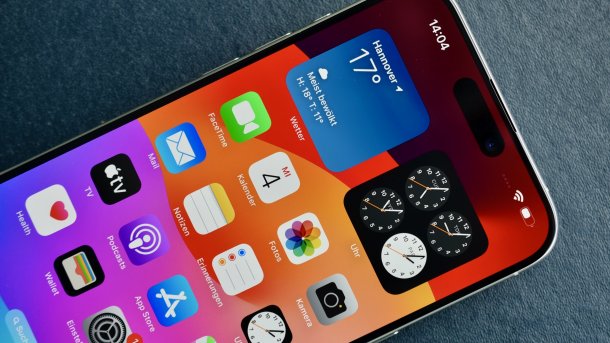
(Image: Sebastian Trepesch)
In iOS 18.2 and iPadOS 18.2, Apple Mail is not running smoothly in some cases: retrieving new emails no longer works smoothly, as users affected by the problem explain. In these cases, the Mail app displays a brief notification that it is establishing the connection and checking for new emails, but then stops when downloading the messages. These can then not be opened or read on the iPhone or iPad.
It remains unclear how widespread these mail problems are. On an iPhone belonging to the Mac & i editorial team, we were able to observe discrepancies when comparing the read status of emails in an iCloud mail account, but these were only temporary. Gmail (IMAP) and Exchange accounts worked without any anomalies.
Problems with mail retrieval in certain networks
The problems with mail retrieval often occur specifically in a WLAN or network, some of those affected note. The adblocker and network filter Pi-hole also seems to be used there. In these cases, disconnecting the Wi-Fi connection and switching to the mobile network ensures that the emails land correctly on the iPhone or iPad again.
Videos by heise
After the release of iOS 18 in September, there were massive problems with accessing IMAP accounts. In some cases, the email providers apparently also had to take action to restore a normal connection. Since iOS 18.1, this problem seems to have been largely resolved. The mail error in iOS/iPadOS 18.2 is independent of this and presumably much rarer.

Apple Mail shows brand logos
As of iOS 18.2, Apple Mail offers the new option of automatically categorizing emails on the iPhone. This is only available if the operating system (or the Mail app) is switched to English.

(Image: Apple)
Apple has apparently integrated another quiet innovation when retrieving brand logos in Apple Mail. Senders can now display their brand logo as an icon, which previously worked via the standard BIMI and was comparatively complicated. Recently, however, Apple has opened up this option to many more companies via its Business Connect portal. Companies can now display their logo not only in Apple Mail, but also during calls and Apple Pay transactions.
To prevent this from being viewed, Apple uses cryptographic techniques (private information retrieval and homomorphic encryption) to retrieve the trademarks from its own servers. It is conceivable that network filters such as Pi-hole are blocking these connections and that this is causing the problems when retrieving emails.
Empfohlener redaktioneller Inhalt
Mit Ihrer Zustimmung wird hier ein externer Preisvergleich (heise Preisvergleich) geladen.
Ich bin damit einverstanden, dass mir externe Inhalte angezeigt werden. Damit können personenbezogene Daten an Drittplattformen (heise Preisvergleich) übermittelt werden. Mehr dazu in unserer Datenschutzerklärung.


(lbe)

