


New Nvidia app can slow games down a lot, but Nvidia has a hint
The replacement for GeForce Experience is causing displeasure among GeForce owners due to weaker performance. Nvidia recommends disabling an AI function.
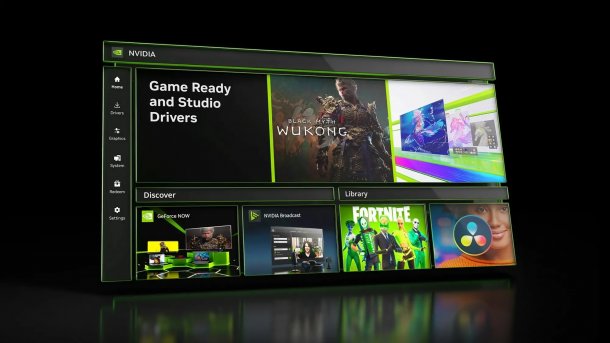
Nvidia App
(Image: Nvidia)
Owners of GeForce graphics cards are currently complaining about performance losses in games when the new Nvidia app is installed. Performance is said to be reduced by up to 15 percent even though the functions of the Nvidia app are not actively used. Uninstalling the app fixes the problem. Nvidia has now also recognized this, but it is not necessary to remove the app. The manufacturer recommends disabling some functions of the Nvidia app until a corresponding update is available.
In November of this year, the Nvidia app replaced the previous GeForce Experience. Since then, the app has served as a central point of contact for hardware control, driver downloads and game optimizations for GeForce graphics cards. Although many settings can still be made via the Nvidia Control Panel of the graphics driver itself, the Nvidia app offers functions for Gsync, frame rate limits for individual games, video and image recording as well as game filters designed to improve game graphics using artificial intelligence (AI).
Performance loss due to Nvidia app
However, the new Nvidia app has now been identified as the cause of the reduced performance of GeForce graphics cards. Tom's Hardware, for example, tested a GeForce RTX 4060 in various games with and without the Nvidia app. It turned out that the performance was between 2 and 12 percent lower when the Nvidia app was running in the background with default settings. However, if the game filters are switched off, the performance with the Nvidia app corresponds to the performance without the app.
Videos by heise
The AI filters have therefore led to a loss of performance, even though they are not actually used and the app simply runs in the background as intended by Nvidia. The manufacturer has now confirmed this and explains in the GeForce forum: "We are aware of a reported performance issue related to game filters and are actively investigating it."
Proposed solution from Nvidia: switch off AI filters
At the same time, Nvidia describes how the problem can be resolved in the short term. Players should switch off the game filters in the settings of the Nvidia app under "Features -> Overlay -> Game Filters and Photo Mode" and then restart the game. This corresponds to the solution already suggested by the testers and should raise the performance of the graphics card back to its actual level.

Nvidia has not yet said why the app's AI filters impair performance to such an extent. The Nvidia app had been available as a beta version since the beginning of the year before its launch in November, but the beta testers apparently did not recognize this problem. However, the performance losses also fluctuate relatively strongly, depending on the graphics card model and game, so they may be difficult to detect.


(fds)

