


Linux Mint 22.1 "Xia" gets darker and saves energy
The updated Linux Mint distribution renovates the substructure of the package management, offers three energy modes and uses the fresh Cinnamon 6.4.
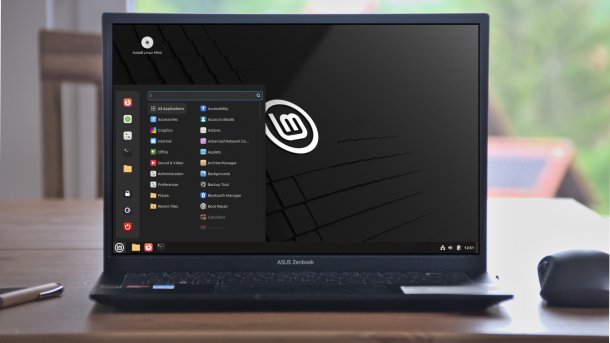
(Image: heise online / dmk)
The new Linux Mint version is primarily a product update: the distribution is still based on Ubuntu 24.04, with the Linux kernel 6.8 under the hood. The biggest visible change is in the Cinnamon desktop environment, which is now being used in version 6.4.
Cinnamon 6.4
It features a slightly optimized design, including rounded window corners and darker colors. The Linux Mint team wants to follow the "trends in contemporary UI/UX design". Furthermore, Cinnamon 6.4 paints some dialog boxes on the screen itself via clutter. As a side effect of this measure, some system programs, such as the system settings and software management, run more smoothly under Wayland.
Cinnamon 6.4 also offers its own "Night Light" mode for the first time. In this mode, the display automatically changes to warmer colors in the evening hours. This is intended to increase well-being and make it easier to fall asleep.
Videos by heise
Energy-saving modes
All editions of Linux Mint 22.1 can be set to one of three power modes: While the first trims the system to save energy, the distribution tries to balance performance and power consumption in "balanced" mode. Performance mode is only available on some "supported systems". These include Intel and AMD systems that are supported by the respective P-State driver of the Linux kernel. The performance mode then uses this to tease the maximum performance out of the processor.
For users of the Linux Mint editions with Xfce and Mate desktop, however, there is one fly in the ointment: While the power modes can be conveniently changed in the system settings and via an applet under Cinnamon, this is only possible under the other two desktop environments via the command line tool "powerprofilesctl". Its existence also reveals that Linux Mint uses the Power Profiles Daemon of the Freedesktop project to implement the power modes.
Changes to package management
Under the hood, the Linux Mint team has replaced two central tools that take care of package management. Firstly, Aptkit replaces the previously used aptdaemon, which accepts package management tasks via the D-Bus communication system. The replacement was necessary because aptdaemon is no longer being actively developed and is only used in Ubuntu. In addition, Captain now takes care of the installation of individual DEB packages and the installation of packages via the browser. The tool thus takes over the tasks of GDebi and apturl. According to the Linux Mint team, the switch to Aptkit and Captain simplifies development, increases the reliability of package management and improves the compatibility of update management with Wayland, among other things.
Hooks and bolts
If you want to try out or run Linux Mint 22.1 in a virtual machine, you should read the release notes beforehand. They contain solutions for some pitfalls that lurk under VirtualBox in particular. The release notes also provide some further practical tips. For example, owners of HiDPI screens can find out how to make the Grub2 boot menu appear slightly larger.



(mki)

