


Signal Messenger: New function to synchronize messages
The Signal messenger is getting a feature to transfer previous messages to paired devices. And there are already further plans for this.
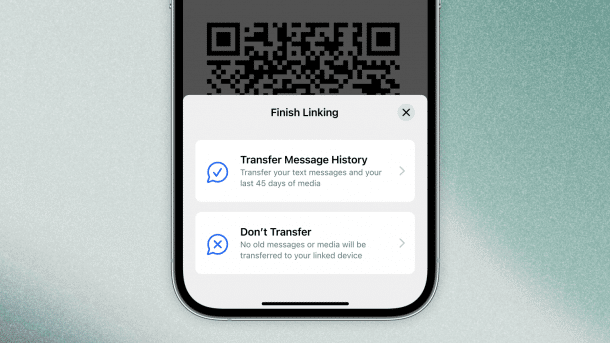
In future, message histories can be synchronized on paired devices in the messenger Signal.
(Image: Signal)
If you use the messenger Signal, you can pair up to five iPads or desktop computers with the Signal app. However, there is one disadvantage: the previous message history is not available on the newly paired devices. This is set to change with future updates thanks to a new function. As a first step, it will then be possible to access all messages and sent media from the past 45 days.
The new function will initially be tested in beta versions before it is rolled out to all users in the coming weeks, the Signal Foundation announced.

Own backup format developed
The previous handicap was a consequence of the fact that the non-profit Signal Foundation focuses on data protection and privacy. The basis for the new feature is therefore a standardized, encrypted backup format. In the future, this will also be used to restore your Signal data securely and in encrypted form, for example if your phone breaks down or when you change your device.
Videos by heise
The Signal team goes into more detail in a blog post. The primary device under Android or iOS creates a compressed, encrypted archive, while the new device generates a temporary “provisioning address” and a key pair after linking via a QR code scan. The primary device then sends an encrypted “provisioning message” with all the necessary information to the new device. The entire transmission is end-to-end encrypted. Only media content is not transmitted directly in the archive due to its size; instead, only links to encrypted attachments are transmitted, which can be downloaded by new devices for the past 45 days if required.
Source code is freely accessible
The Signal Foundation emphasizes that it has no access to message histories and other user data, and that each linked device receives its keys. Furthermore, archives are only stored temporarily and deleted after transmission. The source code can be viewed and downloaded in the usual way via GitHub.


(mki)

