


DietPi 9.10: New images for RISC-V single-board computers
The Linux distribution DietPi is based on Debian and supports numerous single-board computers. Version 9.10 brings new images for RISC-V.
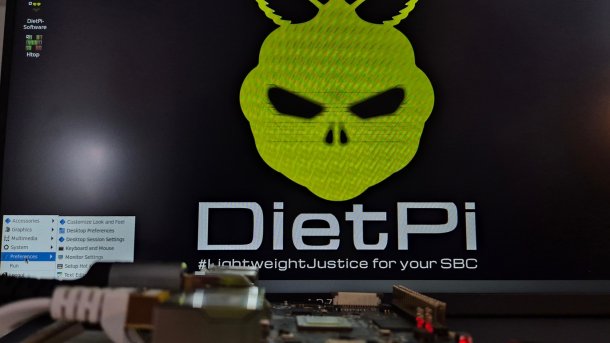
DietPi 9.10 runs with desktop environment LXDE on RISC-V-SBC Starvision Visionfive 2.
(Image: heise online / dmk)
Version 9.10 of the Linux distribution DietPi has been released. It is based on Debian and brings the Linux substructure to various single-board computers (SBC).
The release notes for DietPi 9.10 contain some interesting changes this month. New images are available for the Orange Pi 5 Max, Orange Pi 5 Pro and NanoPi M6 single-board computers, for example. However, the highlight is probably the support for RISC-V boards, which has now been upgraded to Debian Trixie (Testing) instead of SID (Unstable).
RISC-V: Installation with hurdles
Before DietPi can run on a Starfive Visionfive 2, for example, there are a few obstacles to overcome. Under Windows, for example, the ISO file loads BalenaEtcher onto a microSD card. If you try to boot this directly, it is practically impossible to complete the setup routines. Networking should be done via cable, but this only works if the Ethernet port in the middle of the SBC is used right from the start. Subsequent reconnection and restarting the configuration tool does not help.
More works with the network. When installing the software, you can search for "lxde" for a graphical user interface and then install the two selected packages. But errors occur here too: there is simply not enough space in the root partition, and it cannot be enlarged by hook or by crook – No tricks with "fdisk" or "dietpi-drive_manager" help.
Videos by heise
The problem is that the FAT partition with the configuration directly follows the almost 700 MB root partition. The solution to this is simply to move the partition to the end of the micro SD card after the DietPi image has been moved to the card. This can be done with the free minitool Partition Wizard in Windows, but GParted should also be able to do this. If the LAN cable is now plugged into the correct socket and the SBC is started with the card, DietPi automatically enlarges the root partition, LXDE and accessories can then be easily installed and the Linux system tested. The memory requirement is low, so that additional software can be installed and tested on the RISC-V system. Meanwhile, screen output via HDMI also works flawlessly; the use of a terminal via UART or SSH is no longer absolutely necessary.

On other systems, fewer steps should be necessary to get DietPi up and running. Individual improvements and bug fixes have been incorporated into DietPi 9.10 for numerous systems. Additional software options are available for RISC-V systems, for example. New scripts for controlling console display modes have been added to the DietPi tools. DietPi services from the DietPi tools used to also restart deactivated services when "Restart Services" was selected, but now it only does this with running services.
The automation (DietPi-Automation) now recognizes the entry AUTO_SETUP_APT_INSTALLS in the "dietpi.txt" file on the FAT partition, which can be used to install packages the first time DietPi is started. As an example, the developers cite the option AUTO_SETUP_APT_INSTALLS=iotop iptables xz-utils. Further details on the individual adjustments, additions and corrections are listed in the release notes. Updated IMG files compressed into xz archive format are available for download for various SBCs on the DietPi download page.


(dmk)

