


Blender 4.4: Product maintenance and fast loading times
In version 4.4, the Blender developers have focused on speed, the user interface and seamless workflows rather than on new tools.
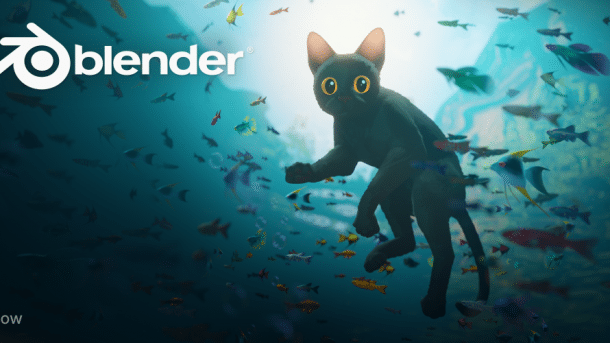
The splash screen of Blender 4.4 shows a scene from the Oscar-winning movie Flow, which was created with Blender.
(Image: blender.org)
Version 4.4 of the free 3D software Blender is now available for Windows, macOS, and Linux and as source code for download. The main focus this time was on software quality, which is why there are fewer major new functions, but numerous improvements and performance boosts designed to speed up everyday tasks.
The release was preceded by a quality offensive, in which not only bugs were fixed. The developers have also ported many areas of Blender to more modern technology.
Improved user interface
The developers have worked through a long list of minor problems with the user interface. For example, the button for materials now differs better from the one for the world. A loading bar now appears when rendering an animation directly from the viewport. A glitch in the display of frames per second (FPS) has been fixed.
Videos by heise
The developers have reorganized numerous menus and added icons where appropriate. You can now also play animations in sculpt mode and, while an animation is running, the tooltips still work. The text in the tooltips is now easier to read.
The information that appears in the status bar at the bottom of the screen has been optimized for numerous tools. In addition, Blender now issues warnings if an object has a negative scale, which can lead to issues with some tools.
Video editing: effects, text boxes and colors
In the Video Sequence Editor (VSE), Blender edits videos directly in the 3D software. Almost all effects now work faster there. The background box for texts is also rendered much faster. Corners can be rounded off.
The text tool is particularly popular for subtitling and now supports centered and right-aligned display. You can also edit text in the preview window in the new version by switching to edit mode with the tab key.

Any strips can also be duplicated in the preview window using the usual Blender shortcut Ctrl+D. This brings the operation of the VSE closer to the rest of Blender. When copying and duplicating strips, Blender considers dependencies such as assigned effects.
Export in H.265 and with defined color space
When importing videos, Blender now takes the orientation flag of the metadata into account. Vertical videos will no longer appear lying on their side. When exporting, Blender includes the color space. Previously, this was not defined, which meant that different video players displayed different colors.
The H.265/HEVC codec is now available for playout. This allows videos to be saved with 10 or 12-bit color depth per channel, which is relevant for HDR displays. Blender now also supports higher color depth when importing video data.
Compositor: faster effects
When post-processing moving images, known as compositing, Blender calculates effects significantly faster than before. The developers are talking about a factor of two to ten.
If you first reduce the size of an image in the Compositor in Blender 4.3 and then enlarge it again, it pixelates because all transformations are applied destructively to the image. In Blender 4.4 this happens as late as possible. In the example, Blender would retain the original pixels of the image. There is a separate node for a desired pixel effect.

(Image: blender.org)
Improved node for lighting effects
The halos around bright light sources in photos and videos are called glare. Blender 4.4 has received an updated glare node in the compositor, i.e., a node that calculates this effect.
Some new parameters have been added to the glare node and all settings can now be linked to other nodes. In addition to the processed image, the outputs only contain the effect itself and a representation of the affected image areas. Their maximum brightness can also be limited, which means that a particularly bright light source such as the sun no longer causes the entire image to be outshone.
Complex animation with slotted actions
Animations can now be combined in the animation system using slotted actions. An animation, also called an action in Blender, can be a tracking shot, for example. During the movement, the focal length could change to zoom in on an object.
Until now, Blender could only save this in two different actions. In Blender 4.4, animations can be grouped and linked. Users of game engines such as the Unreal Engine in particular are asking for this function, as it is also available there.
The new features mean that old files are no longer compatible, but Blender converts them automatically. If a file saved with Blender 4.4 or newer is opened with an older version, only the first action of a group is visible. Further actions are discarded when the file is saved. Caution is therefore advised.
New minimum requirements
Users of Intel GPUs must have at least driver version 101.6557 installed for Blender 4.4, under Linux at least version 31740.8. If you use an AMD graphics card, you need at least Adrenalin 24.6.1 or the Radeon Pro drivers in version 24.Q2 under Windows, under Linux at least ROCm version 6.0.
In return, AMD now also supports the RDNA4 architecture of the AMD RX 90x0 series. The hardware acceleration for ray tracing HIP RT is no longer marked as experimental. nVidia has added support for RTX 90x0 cards based on the Blackwell architecture.
Update for the OptiX denoiser
The OptiX Denoiser update is also relevant for nVidia users. After rendering an image with the Cycles render engine, it takes care of removing any remaining image noise. The new version should deliver significantly better quality.

(Image: blender.org)
Vulkan graphics interface: reduced loading times
Blender currently still uses OpenGL as its graphics interface. Sooner or later, however, the developers want to switch to the more modern Vulkan. If you want, you can already try out the Vulkan backend. Although a few functions such as VR support in the viewport will no longer be available, Blender 4.4 rewards the switch with half the loading time for large scenes. We recommend installing the latest graphics drivers for Vulkan.


(ds)


