


Turn your smartphone into a PC replacement: Android 16 gets desktop mode
Google wants to extend Android 16 to other form factors. To this end, the company has given the new version a desktop mode based on Samsung Dex.
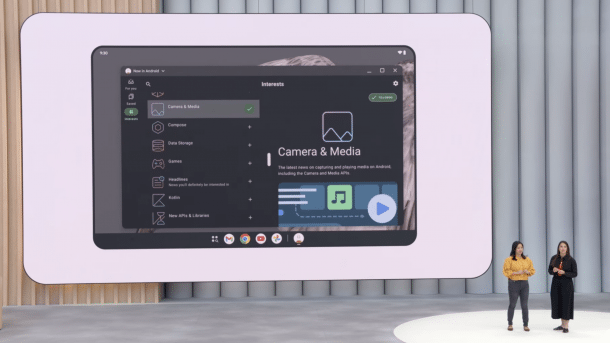
For large screens: Android 16 gets a desktop mode.
(Image: Google)
Android 16 can also be used on larger screens in the future. Google's mobile operating system will have a special user interface for this, allowing several applications to be arranged next to each other and used similarly to a conventional desktop operating system. Google confirmed this during the developer keynote at I/O on Tuesday.
Android 16: Desktop mode with Samsung's help
As part of the presentation of adaptive Android apps during Google's developer keynote, the company confirmed that it is working with Samsung to improve the desktop functions of Android. Google went on to explain that it had improved the “window functions” in Android 16 based on Samsung DeX to enable “more powerful productivity workflows”.

(Image: Google)
In a supplementary blog post about adaptive Android apps in the developer blog, Google writes that “the ability of an app to seamlessly adapt to different screen sizes is becoming increasingly important” as Android moves into more and more form factors and offers features – such as the new desktop mode.

Android desktop mode: manufacturers have been doing their thing so far
The idea of a desktop mode when connecting a smartphone to a larger screen is not new. Motorola demonstrated the idea back in 2011 with the Atrix model. However, when connected to an external screen, the smartphone screen was not adapted on this screen. Instead, a Linux distribution was displayed on it.
Videos by heise
With Samsung's DeX, which was introduced with the Galaxy S8, and Motorola's “Ready For”, the smartphone interface is switched to desktop mode when an external screen is connected. With the native integration of this function, Google's hardware partners will be able to rely on this function in future so that not everyone can cook their soup and app developers can adapt their applications accordingly.
However, it is questionable whether users will want to connect their smartphone to an external screen via cable to use it as a desktop replacement. They would also tend to have to carry input devices such as a mouse and keyboard around with them.


(afl)

