


Windows 11 beta brings simple PC relocation wizard
Microsoft wants to make the migration process between old and new Windows PCs easier. Insiders can test the function.
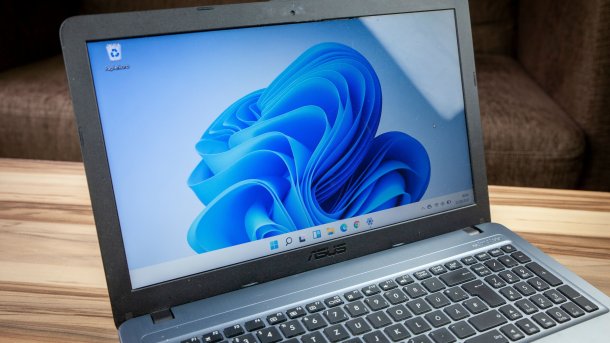
(Image: Curt Bauer / Shutterstock)
Windows is getting a new migration feature to make it easier to move from PC to PC. Beta testers of Windows 11 version 24H2 with build 26120.4161 can test the function first. So far, the company has revealed little about the optimized data transfer from old to new.
Windows 11: New migration assistant is apparently coming in phases
With the brief mention of the new function in the Announcement for the new Windows Insider build, Microsoft finally seems to be simplifying the still rather cumbersome migration process between old and new PCs. Microsoft is therefore likely to integrate a function into the operating system that is nothing new for Apple and Android users.
Videos by heise
Microsoft is still rather tight-lipped about the details of the simplified data migration. It merely states that the landing page and the pairing page will be displayed in the Windows Backup app in the future, which is intended to “give a first impression” of what the user will be faced with.
“In the full version, users can transfer their files and settings from their old PC to the new one during PC setup,” it continues. Microsoft goes on to explain that support during PC setup will be available in a future update. What Microsoft does not mention is the migration of installed apps. Apps from Microsoft's store should transfer without any problems, but it's a different story for software installed elsewhere or software that is linked to the PC.

The new function will be released gradually “to ensure a smooth process”. The company plans to announce further details on the Windows Migration Assistant “soon”.
Windows 11 24H2: Beta with further new functions

(Image: Microsoft)
Apart from the mention of the new migration assistant, the beta has other functions on board. For example, the new pre-release version contains the “Draft with Copilot” feature for Word, a new “Click to Do” action. This should make it possible to select any text on the screen and convert it directly into a Word document via Copilot using the key combination Windows + mouse click.
Users can also choose which widgets they want to see on the lock screen. In the future, it will also be possible to decide between several dashboards in the widget bar. A new navigation bar allows users to switch between different dashboards.


(afl)

