


Microsoft's open source command line editor brings some improvements
Microsoft's open source editor Edit for the command prompt has been updated to version 1.2.0. The developers have made improvements.
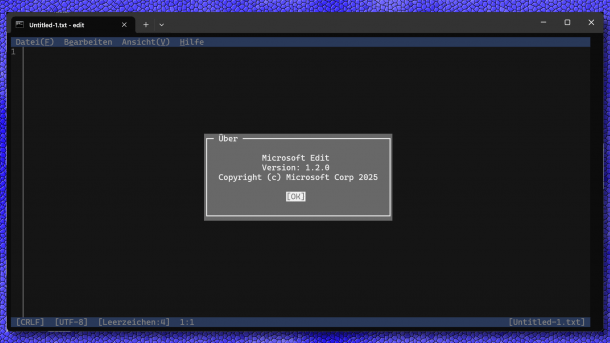
After just one month, Microsoft's new command line editor has reached version 1.2.0.
(Image: heise online / dmk)
Less than a month ago, Microsoft released version 1.0.0 of the Edit command line editor for Linux and Windows under an open-source license. The developers have now released version 1.2.0. They have improved some things in it, but have also implemented bug fixes.

On the weekend, Microsoft's programmers released a new version of their command line editor. “I expect the rate of releases to increase by a factor of two from now on. Version 1.1e19.0 should be out in a few weeks,” they tease in the release notes on GitHub.
Improvements in Edit
The slim editor – edit.exe is just 245 kByte in size – now knows auto-completion of the file name in the open and save dialog. In addition, pressing “Alt” and the cursor up key at the same time leads to navigation one level higher. The encoding selection should now be “100 percent less confusing” and offers a search field with fuzzy search; anyone who missed the “Shift_JIS” encoding can now also find it in the new version, as the programmers no longer refer to it as “ibm-943_P15A-2003”. Edit now highlights control characters in yellow. Lines can be easily duplicated with the key combination Ctrl+C and Ctrl+V. Selection over several lines should now work up to a hundred times faster. In addition, the display of files larger than one GByte is significantly faster; one of the developers speaks of a throughput of up to 160 GByte per second.
Videos by heise
Among the bug fixes, Microsoft's developers have plugged a leak in virtual memory under Windows and corrected a bug when selecting tabs. Some users apparently observe random entries or hang-ups when starting the program, for which the programmers are experimenting with possible fixes. “Search and replace” also supports replacing with nothing, and a program hang previously occurred in unspecified situations in the function. Repeatedly pressing the “F3” key jumps to the next location in a text search.
Microsoft is planning to include Editor Edit in the Insider builds of Windows in the near future. Since the 64-bit Windows builds, no editor has been included for the command prompt. The current versions are also available for direct download from the project:
- edit 1.2.0 for Windows / x86_64
- edit 1.2.0 for Linux / x86_64
- edit 1.2.0 for Windows / ARM64
- edit 1.2.0 for Linux / ARM64


(dmk)

