


For more transparency: Android gets new "System services" settings page
Android gets a new settings page for system services that allows users to view and manage installed Google services.
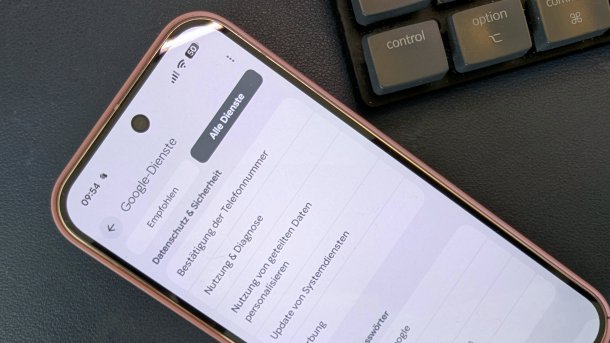
Google is creating more transparency for system services and apps on Android.
(Image: Andreas Floemer/heise medien)
Google's Android consists of more than just the operating system; many services are provided via the Play services, which are responsible for the variety of functions. These services mainly run in the background and were previously rather hidden. With a new settings page, the company wants to make the “system services” more visible.
More overview for Google services
The new "System Services" page lists all Google services and applications – including those without their user interface – which ultimately drive many functions of the smartphone or tablet. With this new subpage, the company is bringing more transparency to the system services and providing interested users with a central point of contact to get an overview of the respective versions of the applications and update them if necessary.

(Image: Andreas Floemer/heise medien)
The new overview of system services is divided into “Available updates”, “Not installed” and “Up to date”. In principle, users do not need to worry about installing updates for these services, as in most cases they are updated automatically in the background. Google points out that disabling system services “may affect the performance of your device.”

According to 9to5Google, the Google services listed include the following:
- Adaptive Connective Services
- Android System Intelligence: for Live Caption, Smart Reply, and more
- Android System Key Verifier: First for Google Messages
- Android System SafetyCore: Warnings about sensitive content in Google Messages
- Cross-Device Services: Android app streaming on Chromebooks
- Device Connectivity Service: Synchronization of notifications between the Pixel tablet and smartphones
- Device Health Services
- Google Play Services: Fast Pair, Quick Share, warning of unknown trackers
- Google Play services for AR: ARCore
- Einstellungsdienste
Videos by heise
The new view will be distributed gradually via a Play Services update for all devices running Android 6.0 or higher – Beta testers will receive it first. As soon as the services overview is available, it will appear in the settings under your profile (the top tab with the username). Here you must select the “All services” tab – under Privacy & Security.
Also new: Central point of contact for all updates
In addition to the new view for system services, Google is creating more order for all updates under Android. In Android 16 with the latest Play services, the company collects an overview of all update options in the System > Software updates folder. In addition to the system update and app updates, which have been located here for some time, users can now also find a button here with which they can update the Google Play services.

(Image: Andreas Floemer/heise medien)
This item was previously somewhat hidden in the "About Phone" overview. To open it, users had to tap on the Android version and search for updates. With the Play system services, Google regularly delivers numerous new functions independently of major Android updates.


(afl)

