


Android Canary Channel: Google announces new "playground" for developers
Google is scrapping the developer previews for Android and replacing them with a Canary Channel for Pixel devices. This is open all year round.
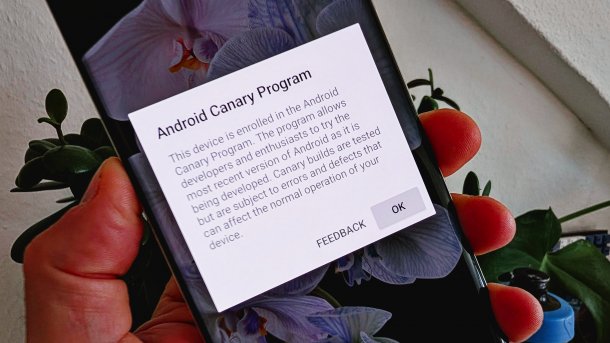
The new Android Canary Channel replaces the Developer Previews.
(Image: heise medien)
The new Canary preview channel is intended to give developers “earlier, more consistent access to features under development”. According to Google, this program is a “significant evolution” of the pre-release program. The Canary channel will replace Android's developer previews and will run alongside the existing beta program.
Android Canary Channel as a permanent developer preview
As Google adds in the Android developer blog, this change is intended to give developers the opportunity to “test new features of the platform and provide feedback throughout the year, not just in the first few months of a new release cycle”. The idea behind this is that participants in the Canary channel will be able to preview Google's work on new Android features throughout the year, rather than just in the biannual cycle previously practiced.

(Image: Google)
To install the Android Canary version on a Pixel device, developers must first use the Android Flash tool. After that, users will receive a “continuous, rolling stream of the latest platform builds via over-the-air (OTA) updates,” according to Google.
Android Canary builds not for major devices
The company makes it clear that these “bleeding edge” builds are absolutely not intended to be used on a primary or sole device. “The Canary channel is intended for developers who want to explore and test the earliest pre-release versions of Android APIs and potential behavior changes,” Google explains. The Canary Channel builds have only gone through automated testing and a short test cycle with internal users. Developers should “expect bugs and changes.”

(Image: Google)
For curious Pixel users who want to try out upcoming features, the Android beta program is still the better and safer choice. Important to know: To leave the channel, users must flash a beta or public build to the device. This requires the data partition to be deleted.
Videos by heise
The Canary builds can also be tested in the Android emulator via the device manager in the Android Studio (in the Canary channel). The Canary SDKs are provided via the SDK Manager.


(afl)


