


Free 3D software Blender 4.5: visual programming and efficient rendering
The 3D program Blender 4.5 was released. It offers long-term support until 2027, better node handling and should render more efficiently than its predecessor.
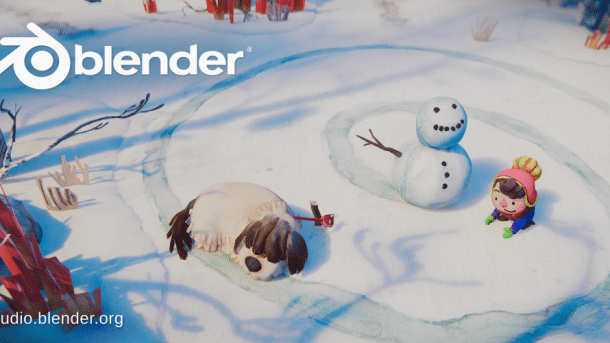
The splash screen of Blender 4.5 shows a scene from the free game Dog Walk, which Blender Animation Studios developed using the Godot engine. It is available for download on Steam.
Version 4.5 of the 3D software Blender has been released. The free program for creating 3D models, animations, and videos is now available for Windows, macOS, and Linux, as well as source code for download. The release is Long-Term Stable, meaning it comes with long-term support (LTS) until July 2027. The developers have put a lot of work into the compositor. This benefits all areas that work with nodes.
More details in the video editor
Users can cut and edit videos in the integrated Video Sequence Editor (VSE). Version 4.5 improves keyboard control, among other things, which now harmonizes better with the rest of the workspaces in Blender.
When you zoom in or out of the VSE, Blender now displays more channels and frames instead of scaling the strips as before. If multiple strips are selected, Blender can now shorten or lengthen them in parallel. Pinning strips to other strips is now enabled by default.
Nodes and frames: visual programming
Many areas in Blender can be controlled via nodes, which are function blocks that can be visually connected to each other.
Videos by heise
The developers have also adjusted the keyboard shortcuts. When you press the F key, Blender 4.5 places a frame around the selected nodes. Previously, the F key linked sockets between two selected nodes. This is now done by the J (Join) key. If you move a node within a frame while pressing the F key, it is detached from the frame.
Frames are a simple way to organize and document node setups. The developers hope that the new features will encourage their use in the future.
Search and overview for nodes
The search now also finds individual node operators, such as the Multiply or Add functions in the Math node. In Blender, the operation of a node is indicated in the header. A Math node that is set to Truncate is no longer called Math, but Truncate. The search function in Blender 4.5 still identifies them as math nodes. In addition, you can search for input and output sockets. These two changes make it easier to understand unfamiliar node setups, especially for beginners.

If nodes have input and output sockets in the same format, Blender now displays them more compactly. When attempting to link two incompatible nodes, an error symbol appears directly on the connection. The same happens when attempting to link nodes inside and outside a zone.

Compositing becomes more powerful and consistent
Compositing is the process of post-processing images, such a –, correcting colors, or integrating 3D elements into videos. The compositor now comes with a node interface. It thus benefits from the same features as other node editors.
The three-dimensional procedural textures Brick, Checker, Gabor, Gradient, Magic, Noise, Voronoi, Wave, and White Noise, which are already available in the Shader Editor and Geometry Nodes, can now also be used in the Compositor. The same applies to the Vector Math, Vector Rotate, Vector Mix, Value Mix, Clamp, Float Curve, and Blackbody nodes.

Two new nodes extract image information such as resolution or pixel coordinates. Procedural textures that were previously created in the Shader Editor can now also be created in the Compositor. This has advantages: The Compositor can use operations such as blurring, which are not available in the Shader Editor.
3D diagrams from Excel data
Finally, Blender creates and edits 3D objects. Geometry nodes import files in the 3D formats OBJ, PLY, and STL, as well as OpenVDB for volumetric data. For the first time, text and CSV files can also be integrated. Using CSV import, Blender can visualize columns of numbers as bar charts, for example.

Edit normals with geometry nodes
Normals determine whether a 3D object appears round or angular. They can also be used to add details to a surface that are not present in the geometry. This is particularly useful in computer games. In Blender 4.5, normals can now be read and edited with Geometry Nodes.
Node for camera information
The new Camera Info node displays information about the currently active camera. This allows you to see how far the camera can see. Objects that are out of view can be hidden or not created at all to display more or less detail depending on their distance. This saves resources during rendering.

More efficient rendering: Adaptive subdivisions in Cycles
3D computer graphics should use as little geometry as possible. Adaptive subdivisions can save resources. When rendering, objects are often subdivided more finely. With Adaptive Subdivisions, you can dynamically limit the subdivision, for example by stopping when an area is smaller than a pixel.
The ray tracing render engine Cycles included with Blender has only supported adaptive subdivisions experimentally. This remains the case in Blender 4.5, but according to developers, adaptive subdivision of geometry is closer to production use.
Problems with AMD and Intel graphics
If you are rendering with AMD cards and using the ray tracing acceleration frame HIP RT, you may experience crashes when editing objects in the viewport. Graphics cards based on AMD's RDNA2 microarchitecture under Windows produce artifacts when rendering volumetric effects such as fog or smoke.
Blender may also crash when rendering with more than one Intel GPU at the same time. The developers are working on solutions.
Last release with support for Intel Macs
For Mac users with Intel processors, Blender 4.5 is the last officially supported release. Future versions will rely on Apple's current M processors.


()


