


Windows: Microsoft moves more options from Control Panel to Settings
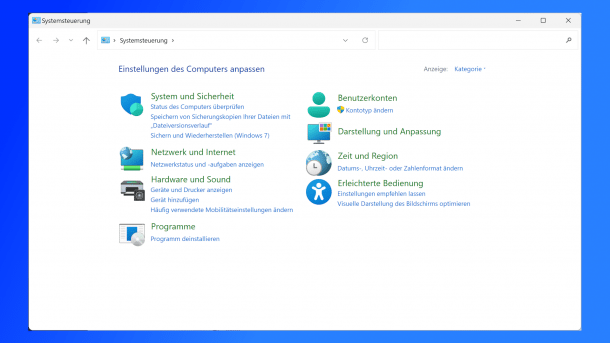
The end of the classic Control Panel is approaching. In the Windows Insider previews, Microsoft is now shifting more to the settings.
(Image: Screenshot / heise medien)
The classic Control Panel still has many fans, but Microsoft is not one of them. The company wants to get rid of the legacy system in the long term and is merging the configuration options into the Windows settings. The developers are now moving more options to the settings in new Windows preview versions.
According to the changelogs for the latest Windows Insider previews for the beta and developer channels, some configuration options are now moving from the “Time and language” section to the Windows settings. Additional clocks can be added under “Settings” – “Time and language” – “Date and time,” which can be displayed with the option “Show date and time in system tray,” for example when hovering over the notification area and in the notification window.
Microsoft now also allows you to change the time server used under the “Additional settings” of “Date and time.” The format settings have been moved up a level and are now under “Date and time,” where the AM/PM symbol can be changed, among other things. Number and currency formats, on the other hand, can be found under “Settings” – “Time and language” – “Language and region,” specifically under “Region.” Support for UTF-8 Unicode can be activated in the “Language” sub-item.
Videos by heise
Keyboard settings also move
Microsoft has also moved the configuration options for the frequency and delay of key repetition to “Settings” – “Accessibility” – “Keyboard”. The flashing speed of the cursor, on the other hand, can be found under “Accessibility” – “Text cursor.” It is important for Microsoft to note here that the repetition frequency and character repetition duration are influenced by the keyboard settings and the cursor blink rate by the cursor blink frequency. Microsoft has also adapted more dialogs to the Windows 11 look.
In the Insider previews, the developers are also ironing out some bugs that affect the File Explorer, for example. The Start menu also receives some bug fixes, as does the Task Manager.
Interested parties can activate participation in the Insider Program under “Settings” – “Windows Update” – “Windows Insider Program.” After some time, however, successfully tested changes will reach the end devices anyway, for example via the optional update previews at the end of the month, and then a few weeks later with the monthly security updates on Patchday for all users.
A year ago, Microsoft had already introduced a raft of changes to Windows that moved numerous configuration options from the old Control Panel to the new Windows settings. At that time, the company had already clearly communicated that the Control Panel would gradually be emptied and eventually abolished.


(dmk)


