


How open is Meta's VR platform for sideloading?
Meta removed an app from the Horizon Store that circumvented sideloading restrictions. A signal that Meta is not relinquishing control.
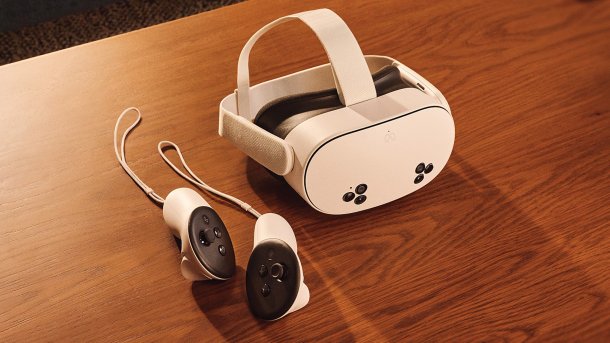
Meta Quest 3S with Touch Plus controllers.
(Image: Meta)
Meta removed the utility app "VR Android File Manager" from the Horizon Store this week. The app granted access to Meta Quest's Android file manager and allowed Android applications from external sources to be installed directly on Meta Quest bypassing the store.
In a message to the developer, Meta justified the move by stating that the app would allow other applications to be installed outside the Horizon Store. To maintain the integrity of the platform, this function must be removed and the app resubmitted. Only then will a decision be made on whether to reinstate it in the Horizon Store, Meta said.
The developer, known under the pseudonym "Anagan79" and through his tool "Quest Games Optimizer", which is distributed outside the Horizon Store, accused Meta of operating a closed system in his response: While other Android devices support sideloading by default, this is not the case on Horizon OS, he said. The "VR Android File Manager" was available in the Horizon Store for a month and a half and reached more than 50,000 users during this time.
Sideloading on Quest: possible, but cumbersome
The Meta Quest's operating system, Horizon OS, is based on a highly customized and enhanced version of Android. As on other Android devices, applications are provided in APK format ("Android Package Kit").
Meta allows the installation of APKs from sources other than the Horizon Store, but there are a few hurdles to overcome. Users must first set up a developer account, for which a valid credit card or telephone number must be provided. Only then can the developer mode required for sideloading be activated on the device. For sideloading itself, users must connect their Meta Quest to a computer (Windows, MacOS or Linux) using a USB-C cable. APKs are then installed using special command line commands or, much more conveniently, using the sideloading application "SideQuest".
The "VR Android File Manager" completely bypassed these hurdles. After installing the utility app via the Horizon Store, users were able to install APKs downloaded via browser directly onto the Quest – without the need for a developer account, developer mode or external devices.
Meta's platform misuse guidelines prohibit apps in the Horizon Store that circumvent the sideloading restrictions. The fact that the "VR Android File Manager" was allowed in the store at all is probably due to an inaccurate check by Meta. The company apparently only became aware of the application's sideloading function through media coverage and social networks.
Videos by heise
Meta chooses the middle way
The ejection was foreseeable. In June, Meta had already forced another developer to remove a similar function from the VR app "Mobile VR Station". Removing the "VR Android File Manager" would make little sense: the app only opens the file manager of the underlying Android operating system (which can be used to install APKs) and has no other function. The file manager is hidden from Quest users by default.
Sideloading is a native Android feature and is possible on most Android smartphones without any major detours. Users must activate the "Install unknown apps" option in the settings and can then install downloaded APKs directly on the device.
The situation is different on iOS. Apple is opposed to sideloading, but had to allow the corresponding options in the member states under pressure from the EU. The forced opening is still in progress: although the latest iOS update makes it easier to import alternative app marketplaces, the direct download of individual apps from a developer website is still associated with major hurdles for providers. Sideloading is therefore still under Apple's control. Different rules also apply for visionOS than for iOS and iPadOS: on Apple Vision Pro, end users have no option to install apps from sources apart from the App Store.
In a direct comparison with the major smartphone platforms, Meta's VR platform occupies a middle position in terms of sideloading: less open than Android, but significantly less closed than iOS. The VR headsets from the Pico brand, which are also based on Android and, unlike Meta, do not have any artificial barriers to sideloading, are more open.
What is Google doing with Android XR?
There are several reasons why Meta is putting obstacles in the way of users. First and foremost, there are probably financial interests. Meta retains 30 percent of the revenue from the store. Alternative app stores and external sources of supply threaten this business model in the long term.
Security aspects are also likely to play a role: If consumers were able to install software unchecked, devices would be more likely to be affected by malware. Instead of patronizing users, Meta could also rely on warnings, like other manufacturers.
Finally, Meta may also want to curb piracy with the sideloading restrictions. The company's VR platform is already heavily affected by piracy. The ability to install APKs from unknown sources on the headset without detours would open the door to piracy.
It remains to be seen how Google will position itself with Android XR. If sideloading on this platform becomes as easy as on Android smartphones and becomes a success driver for future Android XR headsets, Meta could perhaps follow suit. For now, however, the company is likely to stick with the tried-and-tested model. From a PR perspective, it is always easier to open up a platform retrospectively than to restrict it afterward.
The VR Android File Manager is freely available online under the name XR Native Android File Manager. Once the app has been installed via sideloading, Meta's hurdles for sideloading further APKs no longer apply.


(nie)


