


Windows updates cause unexpected user account control prompts
Microsoft points out a side effect of the August updates. User account control prompts appear when MSI repairs are started.
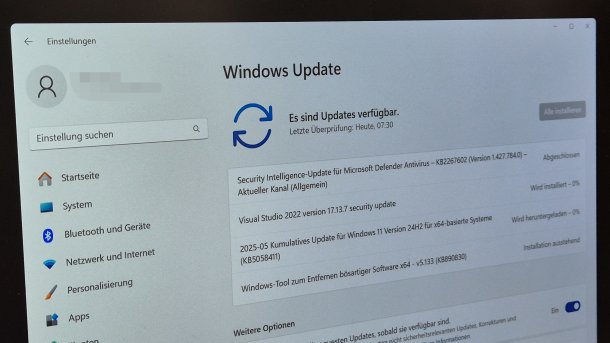
(Image: heise online / dmk)
If Windows users with normal user rights call up certain programs or, for example, the repair function of MSI installers after installing the August updates, they now receive a user account control (UAC) prompt. Installations can therefore also fail. Microsoft has now pointed this out.
In an article in the Windows Release Health Notes, Microsoft explains the new behavior of Windows. Basically, Microsoft wants to use the update to close a security gap in the Windows installer that allows attackers to extend their rights in the system due to "weak authentication" (CVE-2025-50173 / EUVD-2025-24338, CVSS 7.8, risk"high"). The solution is to display a User Account Control prompt to grant the necessary administrator rights if Windows Installer (MSI) actions such as repairs and similar are to be performed.
Microsoft lists that this change can now result in User Account Control prompts in some scenarios: When invoking MSI repair operations (such as using "msiexec /fu" [sic!]), when launching Autodesk apps, AutoCAD, Civil 3D or Inventor CAM, and when installing an MSI file after users have logged into the app for the first time. UAC prompts can also occur when installing apps that can be installed as a user, when starting Windows installers in an Active Setup, when distributing packages using the Manager Configuration Manager (ConfigMgr) that use user-specific "advertising" configurations. They can also occur when activating the Secure Desktop.
Failed installations
Microsoft's developers also explain that installations can fail with an error message. This happens, for example, when users with standard rights initiate an MSI repair function that does not display any dialogs. As an example, the Redmond company cites the installation and launch of Microsoft Office Professional Plus 2010 as a standard user. Error 1730 then appears during the configuration process.
Videos by heise
As a countermeasure, Microsoft recommends starting the app as an administrator if possible. For example, from the Start menu or from the search results by right-clicking and selecting "Run as administrator". IT administrators can request a special group policy from Microsoft's Support for Business, which then apparently allows standard users to run apps as an administrator.
Microsoft is reportedly working on a solution that allows admins to set up MSI operations for certain apps without UAC prompts. All currently supported Windows versions are actually affected: Windows 11 24H2, 23H2, 22H2, Windows 10 22H2, 21H2, 1809, Enterprise LTSC 2019, Enterprise LTSC 2016, 1607, Enterprise 2015 LTSB and Windows Server 2025, 2022, 1809, 2019, 2016, 2012 R2 and 2012.
The August security updates for Windows have revealed an unusual number of side effects. Initially, the distribution of the updates via WSUS failed. Microsoft was able to solve this, but in the same breath it became known that resetting and restoring with Windows on-board tools after applying the updates no longer worked. An unplanned out-of-sequence update of the update finally corrected the underlying errors. Finally, the Windows security update also caused interruptions in professional video and audio streaming, which can be used with OBS, for example.


(dmk)


