


Bitrig: iPhone app develops apps directly on the device
The new iPhone app Bitrig enables the development of native apps via text prompt in Swift. A trick gets round Apple's restrictions, but the service is expensive
(Image: Bitrig)
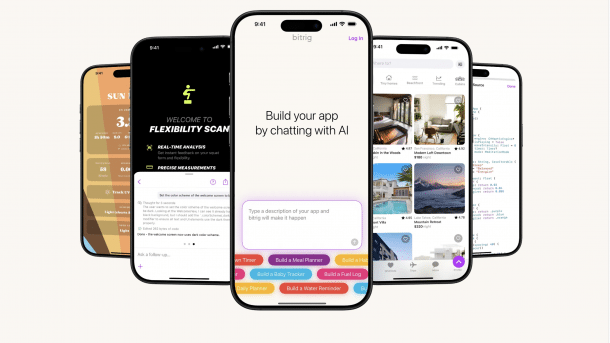
It is being celebrated by some as if nothing like it had ever existed before: The Bitrig app for the iPhone is currently making headlines. It makes it possible to develop an app on the iPhone using a text prompt. This is done in Apple's Swift programming language – i.e. without the trick of a web app in the browser window, but in the language for native apps. And if you pay just under 23 euros per month, you can not only work more intensively with the app, but can even make your products ready for the app store via TestFlight.
After the first start, Bitrig itself gives the user suggestions on what is possible with the app: for example, a logbook can be created with just a few instructions or an app that reminds you to drink water regularly. The idea is that anyone who can't find a suitable solution for this in the App Store can simply make it themselves. The app is designed to be so simple and straightforward that anyone should quickly experience their first successes.
Nevertheless, at first glance, the excitement on the net is surprising. Vibe coding, programming with the help of artificial intelligence and often without (extensive) knowledge on the part of the user, is nothing new and is, in fact, one of the most common applications of AI. However, bringing this to the iPhone and "bringing to life" the code generated directly on the device is something that has never been done before.
Why Apple is allowing the app
Apple is largely opposed to releasing the iPhone and iPad for app development. A few years ago, it was considered a major opening when Apple's own learning app Swift Playgrounds suddenly made it possible not only to learn how to develop with Swift, but even to develop a complete app with it. This could then be brought to the App Store. To do this, however, Apple seized possibilities that are not available to third-party developers for security reasons: compiling and executing programs on the device.
The developers of Bitrig, who themselves used to work at Apple and were involved in the development of the SwiftUI framework, therefore used a trick: they only interpret the generated code on the device, which is permitted. The compilation for the TestFlight distribution, which is included in the Pro subscription, takes place on the server side. Conveniently, as they explain in a blog post, there is already a parser in Swift called SwiftSyntax, so they didn't have to go down the forbidden path of private APIs. This is Apple's major exclusion criterion when it comes to publishing its app in the App Store.
But the trick alone is not enough. They still had to transfer Apple's extensive toolbox to their app. Not all Apple frameworks are currently available. With MapKit and WidgetKit, the AI can already make use of numerous current tools. However, much of the list has not yet been ticked off and still needs to be prepared and provided by the Bitrig developers.
They charge well for this service package. The free mode includes five messages to the AI every day. After 30 prompts per month, that's it for now. If you subscribe to the 23 Euro Pro tariff, you can only send five daily messages, but you can send up to 150 per month and then get another 100 on top.
Videos by heise
Only five prompts a day
Experienced vibecoders will still be surprised: with five messages per day, it will be difficult to realise elaborate ideas. Initial tests have indicated that the app is more accurate than a general language model such as ChatGPT or Claude. This is because the Bitrig developers enhance the user's input so that the prompt is better formulated and many details are considered that the layperson might not immediately think of.
Nevertheless, even for ambitious hobby developers, it may be the more cost-effective choice to take out a similarly expensive subscription to a major language model and be able to use it almost indefinitely. However, Bitrig is undoubtedly a good place to start, especially in free trial mode. Interested parties can quickly recognise what code work is behind a spontaneous idea. Or they can try out whether the idea works at all. And the big advantage is that all of this is possible without a Mac and without Xcode, which is likely to be a hurdle for many at first.


(mki)


