


Raspberry Pi OS switches to Debian Trixie base
The Raspberry Pi OS operating system is based on Debian. Now the single-board computer operating system is also switching to the Trixie standard.
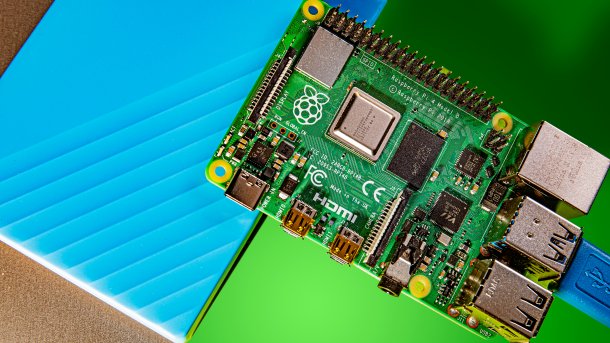
(Image: c't)
On the weekend, the Raspberry Pi project released an updated version of the Raspberry Pi OS operating system: The Linux distribution based on Debian is switching to the new version with the code name “Trixie,” just like the original.

The developers point out that the changes are only minor, as Debian is now very mature and stable. They write in the version announcement that the most far-reaching change is probably the saving of time in 64-bit variables. Unix time is counted in seconds since 1 January 1970, and a 32-bit overflow would otherwise occur on 19 January 2038). But there is also something to look at. The new version of the operating system uses a new desktop theme, which is accompanied by new desktop backgrounds, icons, and character sets, as well as minor changes. This should give the system a fresher look.

(Image: raspberrypi.com)
The developers have also built a new control center app. It replaces the old settings apps “Raspberry Pi Configuration,” “Appearance” settings, mouse and keyboard settings, screen configuration, and printer with a single “Control Center” app.
Only minor optimisations
The Bookshelf app is designed to provide access to free electronic versions of publications from Raspberry Pi Press. Subscribers to the “Raspberry Pi Official Magazine” can now get early access to the titles, which will be available for free a few months later.
Videos by heise
The packages will also become more modular to make it easier to create customized versions of the installation image. This should make it easier to create a full desktop image from a Lite image, for example. And vice versa. To this end, the programmers have moved all packages required to create a desktop image from a command-line-only lite image, including all configuration files and customizations, into a hierarchical compilation of meta packages. This resulted in the “base” packages “rpd-wayland-core” and “rpd-x-core,” with which X- and Wayland-based desktops can be installed – and removed –.
However, packages for the Raspberry AI Hat+ and the AI Kit, for the TV Hat and for Wolfram Mathematica are still missing for Trixie. If you need these, you should take your time with the upgrade.
The updated distribution can be easily moved to the SD card using the Raspberry Pi Imager. Images are also available directly on the download page. Newer Raspis from Raspberry Pi 5 onwards, which are connected to the network via Ethernet cable, can even install a new image from the bootloader. To achieve this, the Raspi must be started by holding down the Shift key. The Raspberry Pi developers strongly advise against this, but an “inplace upgrade” is also possible; they even provide instructions for this –, but a prior backup is mandatory. Our instructions provide a little more detail and options; simply replace “bookwom” with “trixie.”


(dmk)

