


Windows Insider build brings new Start menu and command line editor
The latest Windows Insider preview includes the new Start menu. The Edit command line editor is now also included.
(Image: heise online / dmk)
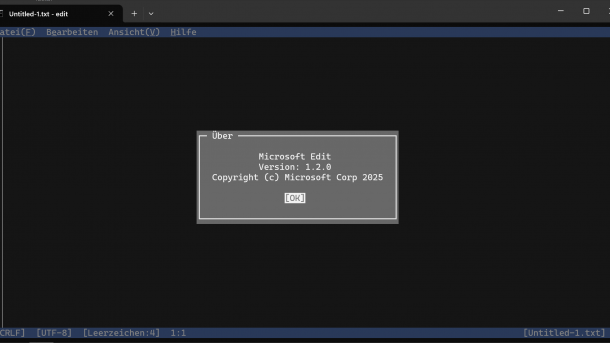
Microsoft announced a new Windows Insider preview version in the Canary channel on Thursday night. It brings small innovations. The developers have updated the Start menu, but the Edit command-line editor is now also an integral part of the operating system.
In the announcement, Microsoft's developers emphasize the new Start menu for Windows 11 in particular. After the scrollable Start menu made its way into the beta and developer insider previews in June, Microsoft is now also bringing it to preview build 27965. The functions are identical to those that were included in the other insider builds four months ago: Previously, a click on “All” was required to access the full app overview. The new start menu now has a region that directly includes the “All” app overview. Users can scroll through this. The region appears on the first start menu page; it is no longer necessary to click on a second navigation level. The adjustments to the display size are also included in the Canary Insider preview, in which the developers usually test completely new functions first. As then, the “Phone Link” connection for Android and iOS smartphones will also be added.
Other exciting changes
The fact that the Edit command-line editor is now an integral part of Windows 11 is likely to be of greater interest to many. The programmers had already hinted at this at the presentation of the open-source project, but with the inclusion in the Insider Preview, the company is now actually realizing this. In the 64-bit Windows versions, there was no longer a factory editor that could be used directly in the command prompt. If you are currently using the Terminal app, you can now quickly change files by entering “edit” followed by the file name. This can make work much easier for admins.
Videos by heise
Microsoft also points out that with this Canary build, the .NET Framework 3.5 is no longer available as an optional Windows feature. Anyone using .NET should move to a modern version of the framework. However, business customers can continue to access the standalone installer for the legacy framework – Microsoft clearly refers to the lifecycle FAQ for .NET.
The Insider preview version also corrects some minor errors. For example, the taskbar is now hidden again as expected, and some videos and games no longer appear in red.


(dmk)


