


Windows Update Preview: New Start Menu and Colored Battery Display
Microsoft is distributing the Windows update previews for October. The most striking features are the updated Start menu and colored battery icons.
(Image: heise medien)
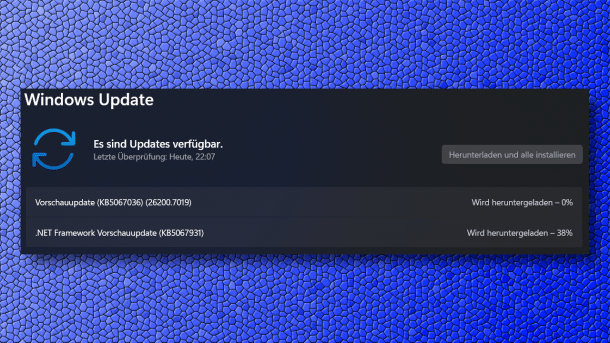
Microsoft began distributing the optional Windows update previews in October on Wednesday night. They provide a preview of the changes that will be included in the regular patch day Windows updates in November. The new Start menu is making its way into the generally available Windows versions, as are colored icons for battery charge status.
The entry for the update for Windows 11 24H2 and 25H2 with KB number KB5067036 summarizes the changes. After the update, Windows 11 25H2 will reach build number 26200.7019, while Windows 11 24H2 will be at 26100.7019. There is also a preview for Windows 11 23H2, although its components are more concise (KB5067112), build number after update 22621.6133).
Windows Update Preview: Striking Start Menu
Back in June, Microsoft introduced the scrollable Start menu in the Beta and Developer Insider previews. Previously, a click on “All” was necessary to access the complete app overview. The new Start menu now features a region that directly includes the “All” app overview, allowing users to scroll. This region appears on the first Start menu page, eliminating the need for a second navigation level. Adaptations to display size, with corresponding changes in the number of displayed categories and tiles, are also coming to the final Windows versions. As before, the “Phone Link” integration for Android and iOS smartphones is included.
On the Windows lock screen, the battery charge level and percentages are now displayed in color, as is the case on the taskbar – however, the function will only be gradually rolled out. The developers explain: “Color indicators show charge and battery status: green indicates the PC is charging and in good condition, yellow indicates power saving mode is active at 20% or below, and red signals a critically low battery.”
In addition, the update brings security-relevant changes, contrary to what was announced: Administrator Protection is now available as a preview version on endpoints. Administrative tasks will then need to be released and authorized using “Windows Hello” prompts. Interested parties must activate the function in Intune or via group policy, as Microsoft still disables it by default.
Videos by heise
Bug fixes include, for example, the Media Creation Tool from the end of September, which crashed with error messages on Arm64 processors when attempting to create installation media with Windows 11 25H2. However, the developers have also fixed some authentication issues. The update also corrects a problem with web servers that rely on HTTP.sys, such as IIS – the error description differs slightly from the error after the October patch day; it is unclear whether this is a separate or the same problem. In some cases, operations relying on Remote Credentials Guard could fail between current Windows builds and Windows Server 2022. The installation of Windows updates could also fail with error code 0x800f0983, which the developers claim to have resolved.
At the beginning of the week, new features in the Windows Insider preview versions were already announced. These include, for example, fast memory checks after crashes and improved Windows taskbar search.


(dmk)


