


Google Gemini moves into Android and iOS devices - including live function
Google's Gemini replaces the voice assistant. The AI can communicate in real time, see the screen and access apps.
(Image: Google Blogbeitrag)
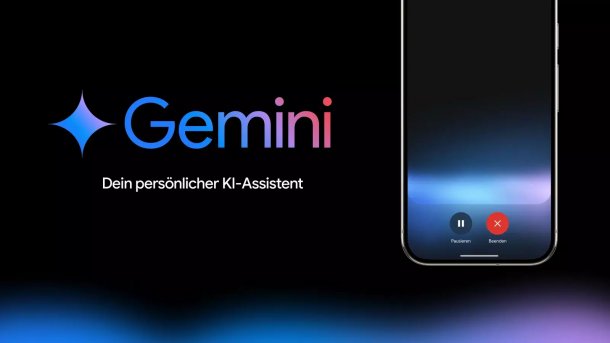
With Gemini, smartphones are set to become powerful AI assistants, Google announced at the launch of its new Pixel devices. The new AI functions are available for Android and iOS. Gemini Live enables improved communication in real time. However, it does not yet have a live video function. By connecting to other apps, Gemini can take over tasks from them. On Android devices, Gemini can be accessed in the same way as the Assistant: "Hey Google".
Google had already presented Gemini Live at its own I/O trade fair in May. Now the enhanced assistant is actually moving into smartphones - but only for people who have a paid Advanced subscription. This will allow you to communicate with Gemini in real time and in a particularly natural way. In the blog post introducing the new functions, Google writes, for example, that you will be able to brainstorm about potential jobs in future and provide your own skills and degree as input into the conversation. Live conversations can also be interrupted and continued later. The new assistant can also be accessed when the smartphone is in your pocket with the display locked.
Videos by heise
In addition to the restriction that Gemini Live is initially only available to paying users, the assistant is also only available in English. Other languages are to follow, and the iOS version will also be released in the coming weeks. There are already ten voices to choose from in the USA.
Google's AI can access the screen
At the original presentation, Google also showed how Gemini is available when the camera is activated, meaning you can talk to the AI assistant about something you can see. There was no mention of this function now. OpenAI also presented a similar function in May, which is based on the GPT-4o omnimodel. It is also not yet available. ChatGPT has since been given a voice mode that should be able to respond particularly well in real time.
Gemini can already access what is on the screen on Android devices, for example if it is a website or a YouTube video. There is also the "Questions about this screen" or "Video" function.
Gemini is linked to apps
Gemini can be connected to other Google apps and services. In the coming weeks, this should be possible with apps such as Notes, Tasks, Device Control and YouTube Music. It will then be possible to add the ingredients to a shopping list in Notes from an email with a recipe, for example. YouTube Music can then immediately create a suitable playlist for dinner. According to Google, "Gemini will understand what you want and do it for you". Soon it will also be possible to integrate the calendar and photos.

On Android phones, Gemini can be accessed in the same way as the Google Assistant. You can either press and hold the power button or say "Hey Google".
Google has developed the large voice model with the same name especially for mobile devices: Gemini 1.5 Flash. It is particularly fast, as requests to a language model can take a while. Of course, Google also warns that Gemini's responses and behavior can be inaccurate and unexpected. Both speed and quality are being worked on.


(emw)


