


Raspberry Pi OS: Wayland now for everyone!
The Raspberry Pi project has released a new version of Raspberry Pi OS. It now provides Wayland for all Pis.
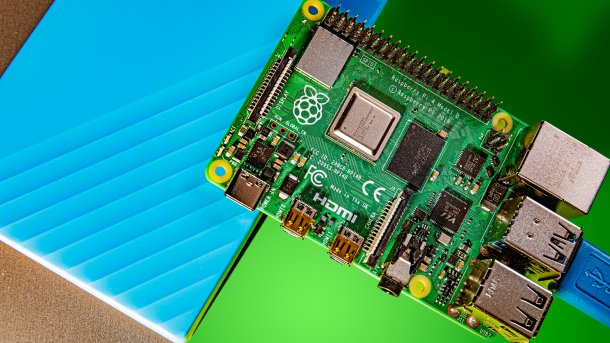
(Image: c't)
The Raspberry Pi project has updated the adapted Raspberry Pi OS. The most important new feature is the support of Wayland on all Raspberry Pi models. There are also some other minor improvements, such as support for touch displays.
As the Raspberry Pi OS maintainers explain in an article, Wayland is intended to replace the outdated X Window System. Wayland promises more speed and security. Among other things, because the apps do not all communicate with the display server, but Wayland isolates them at compositor level, they cannot observe each other. This is why the switch to Wayland with the "wayfire" compositor was one of the major innovations last year, although it was only available for the more powerful and newer Raspberry 4 and 5.
Wayland: New compositor paves the way for old Raspis
In the search for a better compositor that also fits in better with the goals of the Raspberry Pi maintainers, they came across "labwc". This is based on a set of libraries that provide the basic functions of a Wayland system under the name "wlroots". A Wayland compositor based on this would not have to reinvent the wheel, which is why the maintainers made the decision to switch. They have spent most of the past year porting labwc to the Raspberry Pi desktop. The developers of labwc and wlroots have helped a lot. At the end of their efforts, Wayland is now available on all Raspberry Pi models.
Videos by heise
After updating an existing Bookworm installation, Raspberry Pi OS asks users whether they want to switch to labwc or stay with wayfire. The developers explicitly recommend switching to labwc. Future updates will not receive any further support for wayfire. Previous wayfire users on Raspi 4 and 5 boards should not notice any changes, except for some missing animations that the maintainers have not yet implemented in labwc. Those who are still using X should also switch. The supplied Xwayland library provides a virtual X implementation that allows apps that are otherwise not compatible with Wayland to run. This means that older apps can continue to be used and still reap the benefits of the latest security and performance updates. If problems occur, it is also possible to switch back to X at any time. Calling "raspi-config" from the command line using sudo raspi-config has the option "W1 X11 Openbox window manager with X11 backend" under "6 Advanced Options" in the sub-item "A6 Wayland"; after restarting the Raspi, X will run again.
Further improvements in Raspberry Pi OS
Other improvements include optimized touch display support. The Raspberry Pi desktop now automatically shows and hides a virtual keyboard and supports the equivalents of right-click and double-click for touchscreens. The functions for this are provided by the integration of the virtual Squeekboard keyboard. Where the automatic function fails, the virtual keyboard can be expanded or collapsed by tapping the keyboard icon on the right-hand side of the taskbar. The virtual keyboard can also be completely deactivated in the Raspi configuration. It also only works with labwc, not with wayfire or X.
The integration of the remote maintenance service Raspberry Pi Connect has also been improved. This allows easy access to Raspberry Pi boards with the web browser. The icon is now permanently displayed and not just when a connection is established. Activation or deactivation is now done via the icon context menu and no longer via the Raspberry Pi configuration. An implementation for 32-bit systems is apparently still not available, so the service only runs on Raspberry Pi 4, 5 and 400.
The developers have rewritten the screen configuration tool and called it "raindrop". It works just like its predecessor "arandr" and also looks similar. However, it is a new implementation in C to improve support for labwc and touchscreens. The new version should run much more smoothly and be the only version supported in future.
Receive update and set up changes
The new Raspberry Pi OS version is available in apt, for Raspberry Pi Imager or as a download from the raspberrypi.com software page. An update of existing Debian Bookworm-based Raspis is simply done via sudo apt update && sudo apt full-upgrade on the command line. The upgrade is therefore not a major version jump, which would prevent an inplace upgrade. To switch to the new screen configuration tool, it is necessary to enter sudo apt purge arandr && sudo apt install raindrop. The new virtual keyboard can be installed on the system with the command sudo apt install squeekboard wfplug-squeek.
To switch to labwc, the switch for booting to the command line (CLI) instead of the desktop should be set in the Raspberry Pi configuration. Entering labwc-pi in the command line starts the new desktop. If it boots without errors, the default boot in labwc can be set by calling raspi-config in a terminal window. Under "1 system options", "S5 Boot / Auto Login" you will find "B4 Desktop Autologin". Further under "A6 Wayland" the option "W3 Labwc" must be selected.

Last year, the developers switched Raspberry Pi OS to Debian Bookworm. Switching to the Wayland compositor for newer Pis was also one of the most important topics there.


(dmk)

