


(e)ARC: Audio from external devices via Apple TV to HomePod and HomePod mini
Owners of Apple's HomePods can also use them to play other sources. An Apple TV 4K plus television helps with this.
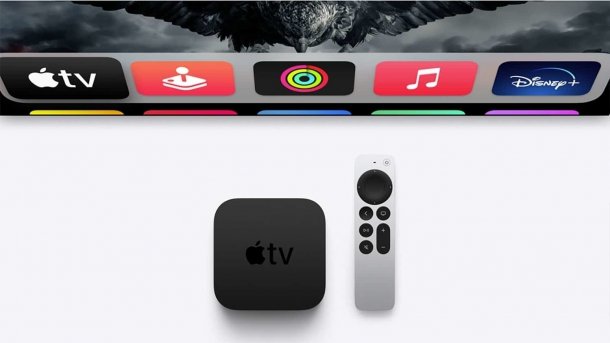
Apple TV 4K: Can display more than just tvOS apps.
(Image: Apple)
At first glance, the use of HomePod and HomePod Air as speakers for non-Apple devices does not seem to be intended: either you listen to music directly via Siri – or use the smart speakers via AirPlay as a playback device for iPhone, iPad, Mac or Apple TV. However, there is the option to play external devices. However, this requires a small detour.
Television plus Apple TV
If there is already an Apple TV 4K (from the second generation) in the house, this can be used for forwarding – with an HDMI-capable TV. This is because current tvOS devices generally support the ARC (Audio Return Channel) or the more modern eARC (enhanced Audio Return Channel) protocols. Apple describes this in a support document updated in the spring.
Videos by heise
The signal is transmitted via HDMI, which is technically implemented from 1.4. Most televisions that support eARC or ARC should have a corresponding logo; alternatively, it makes sense to take a look at the instructions. eARC can even transmit Dolby Atmos thanks to more bandwidth (5.1 and 7.1 anyway).
Switch on audio output
What is particularly exciting about this approach is that the TV can be used as a converter. This allows you to connect audio sources to it, which are then passed on to HomePods via Apple TV. This applies to game consoles, for example, but also to Blu-ray playback devices or set-top boxes for television reception. To activate ARC or eARC, you must first go to the Apple TV settings. In the “Video and audio” section, you will find the “Audio output” item.
Here, you first select the HomePod or HomePod mini (or a pair of each) under “Standard audio output” if this is not yet the case. One menu below this is “Audio feedback channel”. “TV audio playback” must be selected here. If this is “On (ARC)” or “On (eARC)”, you can see that the transfer is working. In addition to eARC and ARC, tvOS also supports the HDMI CEC protocol. This makes it possible to control televisions via the Apple TV remote control, for example to switch them on and off.
Empfohlener redaktioneller Inhalt
Mit Ihrer Zustimmung wird hier ein externer Preisvergleich (heise Preisvergleich) geladen.
Ich bin damit einverstanden, dass mir externe Inhalte angezeigt werden. Damit können personenbezogene Daten an Drittplattformen (heise Preisvergleich) übermittelt werden. Mehr dazu in unserer Datenschutzerklärung.


(bsc)


