


macOS 26: Annoying problems when resizing windows in Tahoe
With macOS 26, also known as Tahoe, Apple has not only tinkered with the overall look but also with the usability. This leads to strange inconsistencies.
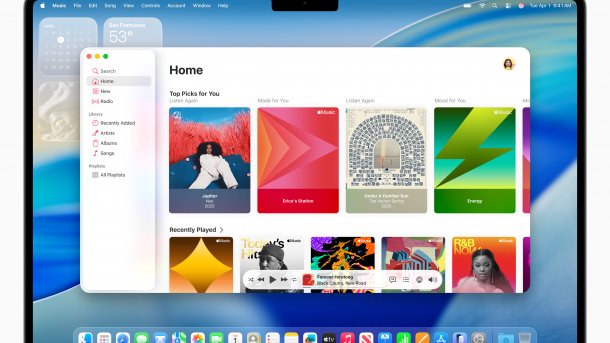
macOS Tahoe: takes some getting used to for many users.
(Image: Apple)
Users who have upgraded their Mac to macOS 26 have been complaining about a usability problem since the update: under Tahoe, it seems to no longer be possible to resize a program window under certain circumstances. The difficulties usually occur when you try to “grab” the window at the bottom right, but also at other corners like the bottom left. The solution to the puzzle: Apple, along with further rounding its windows as part of the Liquid Glass design change, has also reduced the area you need to hit to grab a window reliably for resizing.
Not just an aesthetic problem
Developer Norbert Heger, known as one of the creators behind Little Snitch, summarizes the issue in a blog post. In it, he addresses, among other things, the criticism of the rounded corners. “People describe the appearance as strange, like children's toys or almost crazy.”
Videos by heise
However, the aesthetic issue is turning into a usability one: since the upgrade, more and more users are finding that they can no longer adjust windows as usual. This has never happened to him in 40 years of computer use.
How to resize windows in the future
Heger has now also found the reason: most clicks on the window now occur in an area where this is no longer registered. The area consists of 19 by 19 pixels from the window edge. Due to the new “Corner Radius” in Tahoe, this is now more than 75 percent outside the window.
So, those who are used to clicking into the window to resize it will now be at a disadvantage – users have to click much more precisely. Nothing will change until Apple makes an adjustment. Heger's current conclusion: “Ultimately, the most reliable way to resize a window in Tahoe is to grab the window outside the corner – a gesture that feels unnatural and unintuitive and is therefore inevitably prone to errors.” This, in turn, contradicts Apple's standard approach that design should be self-explanatory in its use.
Empfohlener redaktioneller Inhalt
Mit Ihrer Zustimmung wird hier ein externer Preisvergleich (heise Preisvergleich) geladen.
Ich bin damit einverstanden, dass mir externe Inhalte angezeigt werden. Damit können personenbezogene Daten an Drittplattformen (heise Preisvergleich) übermittelt werden. Mehr dazu in unserer Datenschutzerklärung.


(bsc)


