


iPhone flashlight: iOS 18 offers new possibilities
Small change, practical effect: users can now make better use of the popular iOS "Flashlight" on certain iPhones.
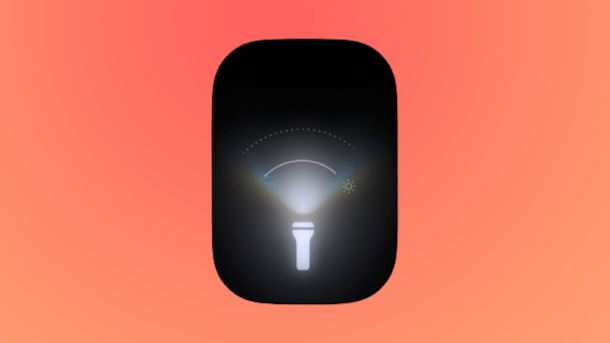
Apple's flashlight icon for iOS 18.
(Image: Apple)
Anyone who has ever looked for their front door key in the dark knows that one of the most practical functions of smartphones is the integrated camera flash, which can usually also be used as a flashlight. Apple knows this too and has given fans of the "Flashlight" function (also known as "Torch") some new goodies in iOS 18, which was released on Monday.
Off to the Dynamic Island
It was already possible to control the brightness of the True Tone flash – There are currently four levels that can be accessed via the Control Center. With iOS 18, however, it is now possible to control the width of the light beam (Beam Width). This does not work via the Control Center, but via the Dynamic Island – so you need an appropriately equipped device from the iPhone 14 Pro upwards.
Videos by heise
If the flashlight is switched on, a corresponding icon appears in the display area. If you click on it, you can configure the beam width using a swipe gesture. This is also shown in a pretty animation. Conveniently, you can also configure the brightness in Dynamic Island. The icon is self-explanatory.
Still accessible via the icon on the home screen
As usual, the quickest way to call up the flashlight is via an icon on the home screen, which can also be accessed when the device is locked. With iOS 18, however, it is also possible to integrate other functions and/or apps here for the first time. However, it makes sense to leave the flashlight there. Alternatively, you can start the function even faster via Siri.
Finally, there is also another option for calling up the function: storing it under the action button. This is currently available in the iPhone 15 Pro and 15 Pro Max, but the additional button will be integrated in all four new iPhones from the iPhone 16 onwards. Apple lists details on the use of the action button in a separate support document. As is well known, the button can be freely assigned to various functions, the most versatile use is via the shortcuts app, which can be used to configure several features at once.
Empfohlener redaktioneller Inhalt
Mit Ihrer Zustimmung wird hier ein externer Preisvergleich (heise Preisvergleich) geladen.
Ich bin damit einverstanden, dass mir externe Inhalte angezeigt werden. Damit können personenbezogene Daten an Drittplattformen (heise Preisvergleich) übermittelt werden. Mehr dazu in unserer Datenschutzerklärung.


(bsc)


